
Содержание
Getting started
What you need
- TunerStudio software – download from https://www.tunerstudio.com/index.php/downloads
- TCU definition file – download latest firmware from https://stealthpcm.ru/downloads/firmwares/dm_transmission/
Communication
There are 2 ways for communication with TCU: Bluetooth (preferred) and Wi-Fi. Before proceeding to Tuner Studio, it is necessary to establish a connection to the TCU via Wi-Fi or Bluetooth through the operating system's settings (the free version of Tuner Studio supports only Bluetooth)
It is required to create a new project in Tuner Studio (this must be done only once for each control unit)
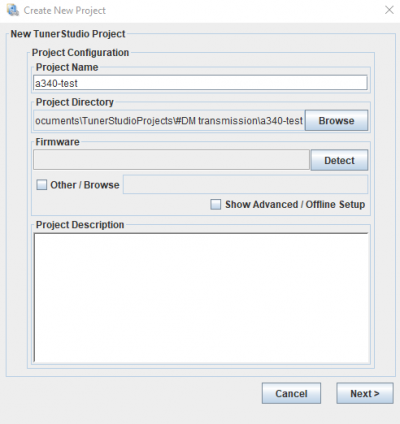
Enter name for your project and click the Other / Browse checkbox. You should select TCU definition file (one with .ini extension) – extract it from firmware archive. Click Next and configure the connection type with the TCU:
Bluetooth
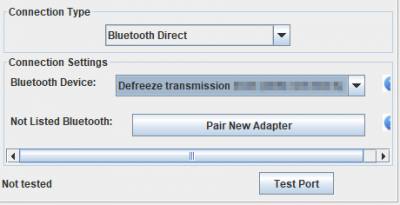
Bluetooth direct method is the most convenient, but it may not be available in some operating systems. In this case, you can use the RS232 method and select the COM port of the paired Bluetooth device. You can leave the port speed at any value, this setting do not apply for bluetooth interfaces, and transfer will use the maximum possible Bluetooth transmission speed.
Wi-Fi
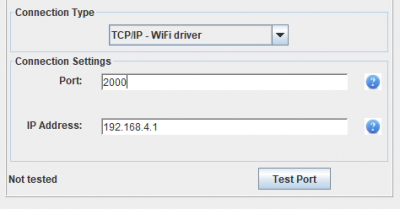
This option is only available in the registered Tuner Studio. Port is always 2000. The IP address depends on the connection method: if you connect directly to the DM transmission unit, the IP address is 192.168.4.1 If you connect through a router, IP address will be provided by the router, and you can view it by connecting to the DM transmission unit via Wi-Fi. At this stage, the Test port button may not always produce a positive result, so you can ignore it and click Next.
Wireless hot spot also has captive portal – opens automatically in your browser after connecting to TCM Wi-Fi network. It could be used to change Bluetooth settings or update firmware.
Signature mismatch error
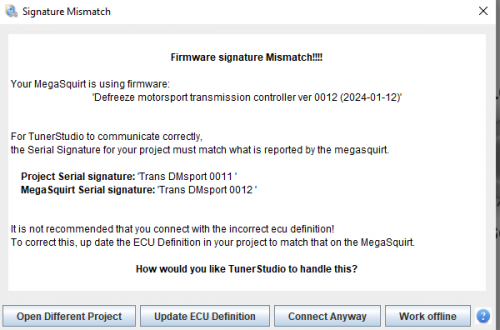
This error means firmware version inside control unit and firmware definition in project does not match. You could fix it by changing definition file in project properties (menu File → Vehicle Project → Project Properties) or by updating controller to last firmware. In both cases click Work Offline, fix problem, and uncheck File → Work Offline to reconnect.
Changing connection settings
If you need to change project connection settings, navigate to Communications → Settings
Wireless settings recovery
(available since 0017 firmware)
With turned off ignition fully depress throttle, then turn on power (without starting engine) and within 20 second change transmission range at least 4 times. For example: P – R – N – D – N. You could change transmission to P and release throttle then. Default wireless settings will be available until next power-cycle, but do not stored! You may connect to unit using default settings and review or change them in software.
- Default Wi-Fi password: 01234567
- Default Bluetooth password: 123456
- Wi-Fi SSID and Bluetooth Name same: Defreeze transmission 0000
Wireless shutdown
(available since 0017 firmware)
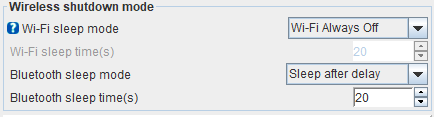
In unit settings you could set “silent” mode when it does not enable wireless network on start, or disable it short period after power-on. In this case you could turn on all wireless until power-off by changing transmission range at least 4 times in 20 seconds from power-on without touching accelerator pedal and without starting engine.